On this page
- Is there a game where you can actually go to the Moon?
- From the launch pad to space: the sky turns black
- How high can you jump on the Moon?
- What changes in low gravity?
- What's up there?
- What does the Earth look like from the Moon?
- Can you build a base on the Moon?
- How do you come back to Earth?
- And Mars?
- Questions
Is there a game where you can actually go to the Moon?
Plenty of games have a Moon level: a separate map behind a loading screen, a painted backdrop, an arcade rocket you tap to launch. Openworld does it differently. It's a voxel sandbox on a whole, round planet — walk straight and you come back to where you started — under a real sky with Moon phases and eclipses, all the way to the Sun, by way of the Moon and the planets. On Mac (native Apple Silicon), Windows and Linux.
The Moon in your sky is not a texture. It orbits your Earth: the game computes where it is from its orbit, so it rises, sets, waxes and wanes, and sometimes slides in front of the Sun (the eclipse guide explains how). And that same Moon is a world of its own, 273 km in radius, with its own ground saved like the Earth's. You can stand on it.
- By rocket: the real way. Five kinds of parts, real propellants, real orbital physics — and an autopilot that flies the whole mission once you've lit the engine. Everything is in the rocket building guide.
- In spectre mode (
/gamemode spectre), for a quick look: fly up past about 1 km, the ground gives way to space and you can head straight for the Moon, a few seconds away at full speed. No physics, no landing burn: a sightseeing tour.
From the launch pad to space: the sky turns black
Light the engine with Space and the autopilot takes over: it climbs straight up, leans into its turn, cuts the engine, coasts to the top of its arc and burns sideways until the instruments say “In orbit!”. The air thins out as you climb — it stops altogether at 80 km — and the blue sky darkens to black, with the stars standing still.
Look down: the voxel ground has been swapped for the painted planet, the real map of your world drawn from its seed — oceans, deserts, ice caps, mountain ranges — and you can see it curve. That's the round planet you've been walking on, seen from the outside for the first time.
The trip: hours of flight, a few minutes for you
- 1
Parking orbit
The rocket circles the Earth while the planner computes the exact moment to leave.
- 2
Burn: off to the Moon
The engine fires again and puts you on a path that meets the Moon.
- 3
Coast
Hours of real flight, warped into minutes: time speeds up on its own, up to 10,000 times, and only for your rocket — the world keeps its clock.
- 4
Caught in lunar orbit
One last burn behind the Moon and you're circling it.
- 5
Landing
Legs out, engine throttling, touchdown under 3 m/s. Welcome to the Moon.
How high can you jump on the Moon?
In real life, the Moon's gravity is 1.62 m/s², six times weaker than the Earth's 9.81. With nothing else in play, a jump would go about six times higher. That's the answer you'll find in physics books.
Openworld uses those exact values: 0.165 g on the Moon. Your jump starts at the same speed everywhere, and the game keeps the same gentle drag on it on every world — that's what makes a jump feel like your jump. Computed tick by tick, the result is: 1.25 m and 0.6 s in the air on Earth, about 5 m and 2.8 s on the Moon. Four times higher, almost five times longer. Enough to hop onto a rocket tank or across a small crater.
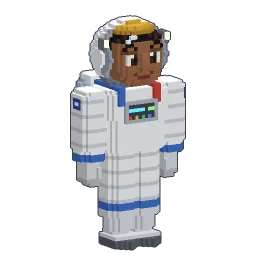
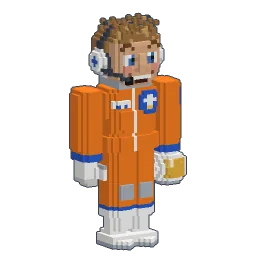
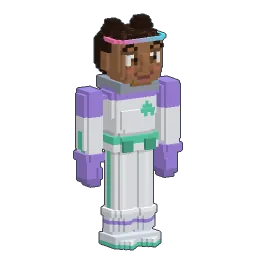
Click: jump again
What changes in low gravity?
- Falls hurt much less. Fall damage comes from the energy of the fall, and that energy is scaled by gravity: a drop on the Moon hurts about as much as one six times shorter on Earth.
- You stay in the air longer. Almost three seconds per jump: time to aim your landing on a crater rim.
- Everything costs less to lift. From the lunar surface, reaching orbit takes about 1 km/s of delta-v, against 5 km/s for an orbit-and-back from the Earth.
- No air at all. No weather, ever — no rain, no snow, no fog — and a sky that stays black even at noon.
On the Earth
- Gravity 9.81 m/s² (1 g)
- A jump: 1.25 m, 0.6 s in the air
- Blue sky, weather, day of 25 minutes
- Creatures, forests, oceans
On the Moon
- Gravity 1.62 m/s² (0.165 g)
- A jump: about 5 m, 2.8 s in the air
- Black sky, no weather, day of about 12 hours
- Craters, helium-3, polar ice — and three creatures
What's up there?
The Moon has its own terrain generator, different from the Earth's: a dusty desert of dark seas and pale regolith, rocky highlands and labyrinths of narrow canyons, and craters of every size. Inside the biggest ones, whole worlds — silver forests, glowing gardens, crystal groves, ice fields and ice rivers — over halls that the crater floors open into, 22 to 50 m down.
And it has resources the Earth doesn't. Each Moon has more than a hundred giant deposits: helium-3 ore, ilmenite and titanium in the dark seas, meteoric iron in the craters, bauxite in the highlands, copper in the labyrinths, quartz in the crystal groves, iron and gems almost anywhere, and Moon ice at the poles. Every deposit is a body of ore 40 to 120 m wide, with chunks of ore sticking out of the ground above its heart. In the Furnace, ilmenite gives titanium, meteoric iron gives steel without coal and the highland rock gives aluminium; the gas plant turns Moon ice into liquid oxygen and liquid hydrogen.
What does the Earth look like from the Moon?
Big, blue and perfectly still. The Moon always turns the same face toward the Earth, so from the near side the Earth never rises or sets: it hangs at the same spot in the sky while the Sun crosses it. A day on the Moon lasts about twelve hours of real time (a day on Earth, twenty-five minutes).
What does move is its phase, the other way round from the Moon's. When the Sun is high over your lunar base, the Earth is a thin crescent; at lunar midnight it's full, and its blue light is all that falls on the ground. And when the Earth passes in front of the Sun, you get to see an eclipse from the Moon.
Morning on the Moon
A black sky at noonNo air to scatter the light: the stars never go out.
Look up
The Earth doesn't moveThe Moon always shows it the same face: it hangs in the same spot, all day long.
Lunar midnight
Full EarthOnly its blue light falls on the ground. Twelve hours later, the Sun is back.
Can you build a base on the Moon?
Yes: you can dig and build there, and the Moon keeps everything you change, like the Earth. The hard part is bringing the materials. That's what the rocket's cargo module is for: a 36-slot hold that flies with you (two modules: 72 slots), opens on the Moon and stays where the rocket lands. A full stack weighs 50 kg whatever it holds, and the rocket's screen tells you what your cargo costs in fuel before you leave.
Keep in mind it's an alpha: a base that lives on the Moon's own resources — its propellant, its aluminium, its heat shields — is possible, but factories are made for the Earth first.
How do you come back to Earth?
Board, choose Back to Earth and light the engine. From the lunar surface the trip home costs about 3.4 km/s. The autopilot lifts off, burns for the Earth, passes 100 km above it, brakes into low orbit first (coming straight in at 4.4 km/s would burn the fairing), then re-enters nose first and lands upright near its launch pad, like a reusable booster. You can also pick any landing point on the map instead.
Before you go, a word of warning: pressing F twice in flight makes you bail out and the rocket is lost. In space, in Survival, that's fatal. Back in Earth's air, jumping with a paraglider packed is another story: see the wingsuit, parachute and paraglider guide.
And Mars?
Not yet. The solar system is described in the world's map file and was built to take more bodies — Mars is planned — but today the Earth and the Moon are the two worlds you can walk on.
Follow Openworld
@play_openworld is Openworld's official Instagram page: videos of the game and news of every update.
@play_openworldOpenworld is created by @tompascard
Three steps to your first Moon landing
- 1Install Openworld with the downloaded file: it sets up the launcher.
- 2Create your account in the launcher and confirm your email.
- 3Pick your username… and play.
Openworld is played on a computer: Mac, Windows or Linux. Send yourself the link, we'll be waiting on the other side.
Questions
How long does the trip to the Moon take?
A few minutes of your time. The rocket really flies for hours, but time speeds up on its own during the coast (up to 10,000 times), and only for the rocket.
How high can you jump on the Moon?
In real life, about six times higher than on Earth, because lunar gravity is six times weaker. In Openworld, with the game's jump rule, you go from 1.25 m to about 5 m, and stay in the air 2.8 s instead of 0.6 s.
Can you breathe on the Moon in the game?
There's no air on the Moon: no weather and a black sky. In this alpha there's no oxygen gauge to manage: step out of the cockpit and walk.
Can you come back to Earth?
Yes. Choose “Back to Earth” on the rocket: the autopilot flies home, brakes into Earth orbit and lands upright near its launch pad.
Can friends come to the Moon too?
Yes, on a server. One pilot per rocket, but everyone sees the rockets fly, and players on the Moon see each other.
Do I have to build the rocket in Survival?
Yes. In Survival, every part is crafted in the Space tab of the recipe book, and the propellant is made by a chain of machines that starts at an oil well: it takes real factories. In Creative, the Rocketry tab and the /rocketkit command give you a full rocket at once.
How do I get in?
It runs on Mac, Windows and Linux.