On this page
Is there a wingsuit game on PC?
Most wingsuit games are short arcade runs down a fixed canyon, or a small part of a big paid game. Openworld is something else: a voxel sandbox on a whole, round planet — walk straight and you come back to where you started — and the wingsuit is just one of the ways you cross it. You climb a mountain you found yourself, you run off the edge, and the valley below is a real place you can land in, build in and come back to.
There are two pieces of gear: the wingsuit, for falling forward fast, and the paraglider, which you pull out of your back like a skydiver's parachute and then fly like a real paraglider. Together they make the base jump: launch, fly, open, turn, land. Scroll, and watch the whole jump.
Step 1
Run. Jump.No button to press: four meters into the fall, the wings open by themselves.
Step 2
Fly with your eyes.Look down to dive and gain speed, look up to trade it for height.
Step 3
Space. The pilot chute.The bag comes out, the lines stretch, the wing inflates from the middle out: the opening shock.
Step 4
Pull the lines.One brake held and the turn tightens into a spiral dive. Let go to come out of it.
Step 5
Flare, and touch down.Both brakes at the last moment: the wing slows, you land walking.
How the wingsuit flies
You wear the wingsuit in the Outfit slot, in the Equipment column right next to your armour. On the ground it stays stretched from your hands to your feet and sways a little as you walk. In the void, as soon as you've fallen 4 metres with some empty space below you, it spreads by itself: arms and legs out, fabric taut, trailing edge flapping in the wind.
Then your eyes steer. Look where you want to go and your speed turns toward it. Look down and you dive: you lose height and gain speed. Look up and that speed carries you back up, until it runs out. Your body banks into the turns like a plane, the left wing dropping when you turn left. Hold Shift to fold the wings and track head-down; let go and they open again.
- 4 mof fall and the wings open by themselves
- ~120km/h in level flight, eyes on the horizon
- 250+km/h in a steep dive
- ~10:1glide: ten metres forward for one down
Those numbers come straight from the game's flight rules: the wingsuit follows the same flight rules in a world where a falling body without wings tops out around 280 km/h. Turn on the third-person view (V) while flying: the camera climbs into a chase position behind you, the wind streaks past, and above about 120 km/h little trails of vapor peel off your wingtips. Skim the ground and you'll kick up dust and leaves.
The paraglider: open it, then really fly it
The paraglider is worn in the Equipment slot, like a backpack: container on the back, harness on the chest and thighs, a red release handle. You can stack up to 8 of them in that slot. In the air, after a short fall, press Space: your right hand throws the pilot chute, it catches the wind, drags out the bag, the lines stretch, and the wing comes out crumpled before its cells inflate from the centre to the tips. That's the opening shock: a gust, a jolt of the camera, and suddenly the world slows down. It works with or without a wingsuit.
Then it flies for real. The game simulates two bodies, you in your harness and the wing 7 metres above you on its lines, and the air on the wing by its angle: lift, drag, stall, even a frontal collapse if you push it too far. Lines pull, they never push. At rest, hands up, it settles at about 10 m/s (36 km/h) with 1.5 m/s of sink, a glide of about 7 to 1.
- A / D, left / right brake: the turn. You swing out, the wing banks. Hold it and the turn tightens into a spiral dive, up to about 13 m/s of sink and 5 G.
- S, both brakes: slow down, and flare before landing. Hold it and the wing stalls: about 7 m/s of sink, the wing falls back. Let go and it surges forward again.
- W, the speed bar: faster, about 13 m/s.
- Shift, big ears: the wingtips fold under, about 3 m/s of sink with no extra speed. The way to come down fast and calm.
- Ctrl held, loops: you throw the wing over your head, loop after loop, about one every 2 seconds. Let go and it closes a moment, then reopens.
- Freestyle: A and D in rhythm, about 2.5 s per side, make wingovers that grow until they go over the top.
Your mouse stays free the whole time: you look around while your hands work the lines. The keys are the ones the game ships with, and you can change them in Options → Controls, in their own Paraglider category.
Click, then A / D to steer · S to flare
Wingsuit, parachute or paraglider: when to use which
In Openworld the "parachute" and the paraglider are the same piece of gear: you open it like a skydiver's parachute, and once it's open you fly it like a paraglider. So the real question is: wingsuit first, or the wing straight away? Here are three jumps off the same 140 m cliff, computed with the game's rules.
- The wingsuit is for distance and speed: about ten metres forward for every metre down, at 120 km/h. Perfect to cross a valley or reach a far ridge. But it always ends with the paraglider.
- The paraglider is for taking your time: 36 km/h, a slow sink, and you can turn, spiral, loop and pick your landing spot to the metre. Open it straight off the edge for a calm flight.
- Both is the full base jump: wingsuit for the ride, paraglider for the end. Watch the altimeter: below 150 m it flashes OPEN!
How to land without breaking your legs
Under the paraglider, the ground forgives a landing that runs out: up to 12 m/s of forward speed, you just land walking. What hurts is what's left: your vertical speed, plus whatever forward speed goes past those 12 m/s. A trim landing, with 1.5 m/s of sink, doesn't cost a thing. A spiral dive all the way to the grass does.
- 1
Open high
In a wingsuit, press Space before the altimeter turns red. The wing needs a second to inflate, and a few more to settle after the shock.
- 2
Get out of the spiral early
Let go of A or D well above the ground: a spiral dive sinks at about 13 m/s, and the wing needs a moment to level out.
- 3
Line up into your landing spot
Use the big ears (Shift) if you're too high, rather than turning circles close to the ground.
- 4
Flare at the last moment
A few metres up, hold S: the wing trades its speed for lift, and you touch down slowly. Too early, and you stall.
How to get a wingsuit and a paraglider
In survival, both are sewn on the sewing machine, from fabric you make yourself. Spiders drop string; raw fibre comes from sheep, fields or spiders; the loom weaves two fibres into a fabric. Then the sewing machine does the rest.
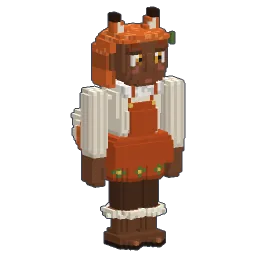
- 3wingsuits: Ember, Glacier, Night
- 3paragliders: Classic, Rainbow, Midnight
- 8paragliders in one Equipment slot
- 15 sto sew a wingsuit (20 s for a paraglider)
- Wingsuit: 4 silk or cotton fabric, 2 raw fibre, 2 string (15 s).
- Paraglider: 6 silk fabric, 2 raw fibre, 4 string, 1 hide (20 s).
- Camouflage (forest, desert, snow) goes in the same Outfit slot: it looks great, but it has no wings.
The suit is painted over your whole body, armour included: the plates keep their relief under the fabric, only the helmet stays bare. Your armour still protects you; your skin still shows through its shape. And in creative mode, everything is already in the catalogue's Equipment category.
Best spots to jump
The planet is generated, so your best spot is one you'll find yourself. Here's what to look for.
- Snowy peaks: the highest ground. Most land stays within 140 m of the sea, and the rare high ranges climb to 300 m above it. That's a long wingsuit line, with a valley to land in.
- Cliffs over the sea or a lake: the drop is right there, no long run-up, and the shore makes a clear landing strip.
- Canyons and river valleys: fly the wingsuit down the gorge, open where it widens.
- Mesas and volcanoes: steep sides, flat tops to run from.
- Your own tower: in survival, building a jump tower near home is perfectly allowed. In creative, fly as high as you like, double-tap Space to stop flying, and you're in free fall.

And because the world is a round planet, there is always another ridge beyond the horizon: fly over the whole planet one valley at a time, or browse the other exploration guides.
What is the wingsuit like to fly?
You'll feel at home in seconds: the look steers, the dive buys speed, the climb spends it, the wall hurts. Three things set it apart. You don't find it, you sew it. It opens by itself when you fall. And it can't land: the ground hurts even when you skim it, so every flight ends under a second flying machine, a completely different one: a paraglider you steer with your hands on the lines.
And you can fly together. Online, everyone sees everyone's gear, and under the paraglider the other players see the exact attitude of your wing: your turns, your spirals, your loops. Line up a group jump off the same peak with your friends.
Follow Openworld
@play_openworld is Openworld's official Instagram page: videos of the game and news of every update.
@play_openworldOpenworld is created by @tompascard
New to the game? Start with your first nights: the wingsuit can wait until you have a roof. And when you're done with the sky of this planet, build a rocket: there's always the Moon.
Three steps to your first jump
- 1Install Openworld with the downloaded file: it sets up the launcher.
- 2Create your account in the launcher and confirm your email.
- 3Pick your username… and play.
Openworld is played on a computer: Mac, Windows or Linux. Send yourself the link, we'll be waiting on the other side.
Questions
Is there an open-world game with a wingsuit?
Yes: Openworld is a voxel sandbox on a whole, round planet, on Mac (native Apple Silicon), Windows and Linux. It has a wingsuit that opens by itself when you fall and a paraglider you steer with the brakes. Download the game.
How do I open the parachute in Openworld?
Your parachute is the paraglider's canopy: wear a paraglider in the Equipment slot, and once you're falling, press Space. The pilot chute leaves your right hand, the wing inflates, and after the opening shock you fly it with A, D, S, W, Shift and Ctrl. Press Space twice to release it.
How do I craft a wingsuit?
On the sewing machine: 4 silk or cotton fabric, 2 raw fibre and 2 string (15 seconds). A paraglider takes 6 silk fabric, 2 raw fibre, 4 string and 1 hide (20 seconds). Spiders drop the string; the loom weaves fibres into fabric.
How fast does the wingsuit go?
About 120 km/h in level flight, with a glide of roughly ten to one, and over 250 km/h in a steep dive. Under the paraglider it's about 36 km/h, 46 km/h with the speed bar.
Can you paraglide for long distances?
As far as your height takes you: the paraglider glides about 7 to 1, so every 100 m of height is roughly 700 m of flight. There are no thermals for now, so for distance, start high, or fly the wingsuit first and open late.
Why do I take damage when I land?
A wingsuit can't land: the ground counts your vertical speed and most of your forward speed. Under the paraglider, a landing that runs out up to 12 m/s costs nothing; only the sink and the extra speed hurt. Flare with S just before touching down.
Can friends fly together?
Yes. On an online server, everyone sees each other's wingsuits and paragliders, including the exact attitude of each wing in turns, spirals and loops.