On this page
- Is there a game where you build your own space station?
- How do you build a space station in space?
- What you get: a starter ship inside a 64 m cube
- Build your spaceship voxel by voxel: blocks, machines, fuel
- How do rockets dock — and how do they refuel in space?
- Which orbit? Around the Earth or the Moon
- Can a ship fly? Engines, tanks and the pilot's console
- Can you create gravity in a spaceship?
- A game where you build a spaceship with friends
- A space base inside a survival sandbox
- What's coming next
- Questions
Is there a game where you build your own space station?
Yes. If you're looking for a build your own space station game that doesn't stop at a menu, Openworld puts the station in the world. It's a voxel sandbox on a whole, round planet — walk straight and you come back to where you started — with factories, rockets and a Moon you can land on. On Mac (native Apple Silicon), Windows and Linux, alone or with friends. And since this alpha, the sky above your base has room for ships.
A ship, in Openworld, is a place: a home in orbit with a view of the planet it circles. You don't buy it, you don't pick it from a list. You fly your own rocket up, stop in a stable orbit and lay a dock. The ship comes out around your rocket, and from that moment it's a building site the size of a block of flats, floating high over the house where you spent your first night. Scroll to watch one take shape.
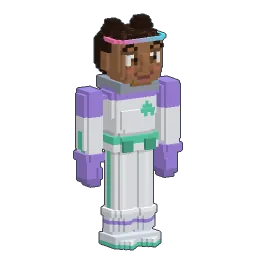
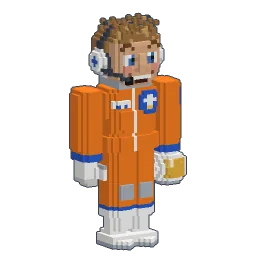
Launch
Your rocket climbs to orbitThe autopilot flies it; you cut the engine in a stable orbit.
One right-click
The ship appears around youLay the Central Space Dock: the starter ship comes with it.
Voxel by voxel
Then you buildRooms, chests, machines, tanks: anything, inside the cube.
A friend arrives
Rockets dock by themselvesNose first, into a free dock. The airlocks do the rest.
Free attitude
Flip it, spin it, face the starsThe ship stays on its orbit. The Moon keeps passing.
How do you build a space station in space?
In the game, the way you'd do it for real: you bring the first piece up yourself. No map to open, no button in a menu — the ship is born where your rocket is.
- 1
Fly to orbit
Build a rocket, pick an orbit as its destination and let the autopilot fly. The rocket guide covers parts, fuel and the launch.
- 2
Cut the engine
The ship keeps the orbit your rocket had, so it has to be a stable one. Engine running or still climbing, the game tells you in orange what's missing.
- 3
Lay the Central Space Dock
With the Central Space Dock in your hotbar, right-click from the cockpit: Create my ship here. A few seconds later, your rocket is docked to a brand-new ship.
- 4
Leave your seat
Press F: you float in the rocket's cabin, climb through its top door into the tunnel, cycle the airlock — and you're aboard.
There are a few rules, all said on screen: at most 8 ships within 5 km of each other, never closer than 200 m, and the dock refuses to be laid while you're still docked somewhere else.
/rocketkit
/shipkitWhat you get: a starter ship inside a 64 m cube
The ship isn't an empty box. It arrives with a starter design, compact and a little science-fiction: a round hull of plates, wings, blue nacelles, lights, and glass at the nose. Inside, on one deck: an engineering room with the socle of the gravity generator, a hub with four chests, a bunk, a kitchen, and a bridge under a glass dome that faces the planet. Enough to live in from the first minute, with plenty of room to grow.
Around it is your building space: a cube of 64 m on each side, 4 × 4 × 4 chunks of the game. Inside the cube you place and break blocks exactly like on the ground. Step past its edge and the game says “Outside your ship.” Put the Space Suit's visor down (B) and you see the cube's limits drawn around you.
- 64metres: the cube you build in
- 10docks per ship at most
- 200% gravity at most
- 12km: how far a ship is seen
Build your spaceship voxel by voxel: blocks, machines, fuel
Everything you know from the ground works aboard. Ordinary blocks, prefabs, doors, lamps, decorations; chests to keep your stock; and the machines — furnaces, presses, generators, cables, pipes, conveyor tubes, switches and sensors. The ship has its own copy of the game's machine simulation, the OVM, so a factory in orbit keeps running while you're down on the planet. How those machines talk to each other is in the guide to machines and logic.
- A fuel depot: the gas plant fills empty dewars with liquid oxygen, methane or hydrogen (1 m³ each) and the refinery fills them with RP-1 from kerosene. Keep the gases and the kerosene in a tank (16 m³) or a large tank (64 m³) — both stand on your deck.
- A pantry and a workshop: chests full of dewars, spare parts, food and tools, so nobody has to go back down for a forgotten stack.
- A power room: cables, batteries and generators like on the ground. The Gravity Generator draws 2 kW at 100 %.
- Anything else: a greenhouse, an observation lounge, a hangar wall, a second deck. It's your cube.
How do rockets dock — and how do they refuel in space?
Every ship has its Central Space Dock, and up to nine Secondary Space Docks you lay on the hull (10 m apart, with room above for a rocket). Each one is a 3 m voxel collar with an orange hatch, leaves that open, a mooring ring of eight beacons and lights that go green, red or amber.
- 1
Pick the ship as a destination
On the ground, open the Destination cards (N) and choose a ship. The autopilot waits for the launch window, climbs to a parking orbit, makes the transfer and holds a few hundred metres away.
- 2
Open the Dock card
It lists the ships within 2 km with their distance and a light: “Speed OK” or “Too fast: slow down”. Free docks are green dots, taken ones grey.
- 3
Let the rocket do it
Click a dock (or press J, K for the next one): “Docking… 0:42”. The rocket lines up and slides in nose first. The server checks the distance and the speed (20 m/s at most).
- 4
Walk in
F leaves your seat. The top door of the cabin opens onto a tunnel, then the dock's airlock, which cycles in two seconds — never two doors open at once — and you're aboard, without ever stepping into space.
Leaving is one button: Leave the dock, and the rocket backs off 100 m on its own before handing you the controls. And refuelling? Rockets are filled with dewars, dragged onto the rocket's screen — anywhere, on the pad, on the Moon or at a dock. A ship with a gas plant and a few chests of dewars is a filling station: carry them from the chest to the rocket and the tanks are full again for the trip down or the leap to the Moon.
Which orbit? Around the Earth or the Moon
A ship starts on the orbit of the rocket that founded it. The game calculates that orbit rather than simulating it step by step, so it never drifts and costs nothing to keep. Choosing where to found it is choosing your view:
- Low — the usual parking orbit, just above the air. The planet rushes by under the dome.
- Medium — higher, slower, a wider view.
- Geostationary — over the equator at 3,500 km, the highest orbit the game keeps. Honest note: the game's ground doesn't turn under an orbit, so it doesn't hang over one spot like a real one; the card says so.
- Your own — two sliders, altitude and inclination. Every card shows the propellant to get there and to come back (“Go: 12 t · Back: 4 t · You have 20 t”) with a traffic light.
And the same works around the Moon: fly there, get into a stable lunar orbit and lay your dock. A ship circling the Moon is the perfect stop between the two worlds — the trip itself is in the guide to going to the Moon.
Can a ship fly? Engines, tanks and the pilot's console
A new ship has no engine, so it stays on its orbit. Craft three voxel parts (Space tab of the recipe book, Rocketry tab in Creative) and it becomes a spaceship:
- Engines: 2 × 2 × 3 m, set right next to a central or secondary dock, at most 4, each holding 12 m³ of propellant.
- Fuel tanks: 2 × 2 × 2 m, anywhere aboard, at most 16, 48 m³ more each.
- A pilot's console: a seat, at most 4, with the same big 3D buttons as a rocket: Autopilot, Destination, Manual, Fuel.
The fuel is the rockets' propellant, in dewars: right-click an engine, a tank or the Fuel button and drop a stack in; each dewar poured gives an empty one back. The autopilot flies to an orbit around the Earth or the Moon: each card shows the delta-v with a traffic light, the burns are paid in propellant, and a trip you can't afford is refused before you leave. From the Earth to the Moon it waits for the right point, then takes 2 to 8 minutes. By hand, the movement keys push along the console's axes. With methalox, an engine alone gives about 0.7 km/s (change orbit, turn), with one tank about 2.5 km/s (enough for the Moon, one way), with two about 3.5 km/s (and back).
Can you create gravity in a spaceship?
Yes, with a machine. A ship is weightless until you place a Gravity Generator and give it power: its screen offers 0, 30, 70, 100 or 200 % of the Earth's gravity, toward the floor. It draws 2 kW at 100 % (4 kW at 200 %) from a power cable; cut the current and everything floats again. The ship's first generator is the one in command.
The ship itself turns however you like. By default it faces the planet, floor toward the ground like the ISS. It can hold still among the stars, turn upside down (an eight-second flip) or spin slowly. All of it from the ship's screen, or with commands:
/ship face planet
/ship face stars
/ship flip
/ship spin 5
/ship turn roll 90
/ship gravity 100
/ship name AuroraA game where you build a spaceship with friends
A ship has no captain and no crew list: on a server, everyone who comes aboard can build, and locks protect what you want kept. Each friend flies their own rocket up, docks at a free dock and walks in. Parked rockets are saved by the server, so the dock you leave your rocket at is still there tomorrow.
- Space walks: with the Space Suit (sealed, it lets you breathe outside) and the Jetpack, you can leave through the central dock's EVA airlock and cross to another ship up to 2 km away.
- Neighbours: up to 8 ships in a 5 km bubble. Other ships are seen from up to 12 km — a station next door, its rockets at their docks.
- Honest limits of the alpha: seen from outside, another ship shows its blocks only (no doors, torches or people yet), and players floating in orbit away from a dock aren't seen by others.
Before the rockets: everything about servers, invitations and playing together is in the guide to playing with friends.
A space base inside a survival sandbox
Some space games are about engineering: you design ships that fly under their own thrust, with physics, collisions and weapons. Others simulate spaceflight, or life support down to the gas mix. Openworld is something else: a survival sandbox on a round planet where the station is one more place of the same world — above your house, reached with a rocket you stacked yourself, next to a Moon you can walk on.
A pure space game
- Space is the whole game
- Ships designed part by part, flown under thrust
- Planets as destinations
- Mostly about engineering
Openworld
- Space is above a world you live in
- A ship built voxel by voxel, on a calculated orbit
- A whole round planet and a Moon to land on
- Survival, building, machines, friends
So: if you want to design a fighter, a pure space game is the better tool. If you want a cosy space base game, multiplayer, that you reach from your own farm — and a voxel spaceship to decorate with your friends — this is the one to try.
What's coming next
The ship is the beginning of something bigger. Here is where it's going — none of this is in the game yet, it's the plan:
- Collisions, oxygen and mass: ships that explode when they hit something, oxygen aboard, and a mass that follows the blocks you build.
- Mars and other planets: the solar system is built to take more worlds. Mars is the next one on the list.
- Refuelling from the ship's tanks: a docked rocket filled straight from your depot, through the dock, without carrying a single dewar.
- Relay antennas and satellites: radio that bounces through your ships to reach the far side of the planet or the Moon — and channels that pass only through space, for messages nobody on the ground can catch.
I want you to be able to go to orbit, build your own ship, and then cross the universe with it — around the Moon, around the Earth, to Mars. A base for you and your friends. The possibilities are endless.
Tom Pascard, Openworld's developer
Follow Openworld
@play_openworld is Openworld's official Instagram page: videos of the game and news of every update.
@play_openworldOpenworld is created by @tompascard
Three steps to your first station
- 1Install Openworld with the downloaded file: it sets up the launcher.
- 2Create your account in the launcher and confirm your email.
- 3Pick your username… and play.
Openworld is played on a computer: Mac, Windows or Linux. Send yourself the link, we'll be waiting on the other side.
Questions
Can you build your own spaceship in Openworld?
Yes. Fly a rocket to a stable orbit, cut the engine and lay a Central Space Dock: a starter ship appears around your rocket, inside a 64 m cube where you build voxel by voxel. Add engines, fuel tanks and a pilot's console and it flies between orbits, the Moon's included.
Is there a game where you build a spaceship with friends?
Openworld: on a server, everyone who comes aboard can build, each friend docks their own rocket at one of up to ten docks, and you can visit nearby ships in a space suit with a jetpack.
How do you build a space station in space?
Bring the first piece yourself: reach a stable orbit with your rocket, engine off, and right-click with the Central Space Dock (“Create my ship here”). Then build like on the ground: blocks, chests, machines, tanks.
How do rockets refuel in space?
With dewars of propellant, 1 m³ each, dragged onto the rocket's screen — on a dock as anywhere else. A gas plant aboard makes them from water and gases stored in your tanks. Filling a docked rocket straight from the ship's tanks is planned.
Can you create gravity in a spaceship?
Yes: place a Gravity Generator and power it. It gives 0, 30, 70, 100 or 200 % of Earth's gravity toward the floor, and draws 2 kW at 100 %. Without it, or without power, the ship is weightless.
Can you build a space station on the Moon?
You can found a ship in orbit around the Moon, and you can build a base on the Moon's ground, where rockets land. Machines don't run on the Moon yet; on a ship, they do.
Can I design a ship that flies under its own thrust?
Partly. A ship takes up to 4 engines, 16 fuel tanks and a pilot's console, and its autopilot flies between orbits — but you place pieces rather than design an aircraft, a ship never lands, and collisions and oxygen aboard are still to come.