On this page
What should I do first?
Openworld is a voxel sandbox on a whole, round planet — walk straight and you come back to where you started — under a real sky with Moon phases and eclipses, all the way to the Sun, by way of the Moon and the planets. It runs on Mac (native Apple Silicon), Windows and Linux. And like every good survival game, it starts with you, empty-handed, and a day that is already ticking.
Good news: a new world always starts in the early morning, about half an hour after sunrise, on dry land, on a gentle slope, never in water and never on top of a tree. Each seed picks a different country — plains, a savanna, a birch wood, a desert, a canyon, a taiga, a jungle… A full day lasts 25 minutes. Here is how to spend the first ones.
- 1
Punch a tree
Hold the left mouse button on a trunk. With bare hands you break one voxel at a time (25 cm): slow, but enough to start. Any log works, wood or bark, of any tree.
- 2
Make planks, then sticks
Open your inventory with E: the 3 × 3 craft grid is there. One cell of log gives two cells of planks; two cells of planks stacked vertically give four sticks.
- 3
Craft a wooden pickaxe and an axe
Pickaxe: three planks across the top, two sticks down the middle. Axe: the head on one side of the handle. Tools break a whole 1 m cube of their own matter at once — the axe wood, the pickaxe rock, the shovel soil and gravel.
- 4
Upgrade to stone right away
The same recipes with any rock instead of planks — stone, granite, basalt, slate… Stone tools are faster and last longer. Make a stone sword too: two heads on a stick.
- 5
Keep an eye out for gravel
Breaking gravel gives flint one block in ten, and flint nodules hide in the rock. Flint makes arrow heads and a flint sword.
How do I survive the first night?
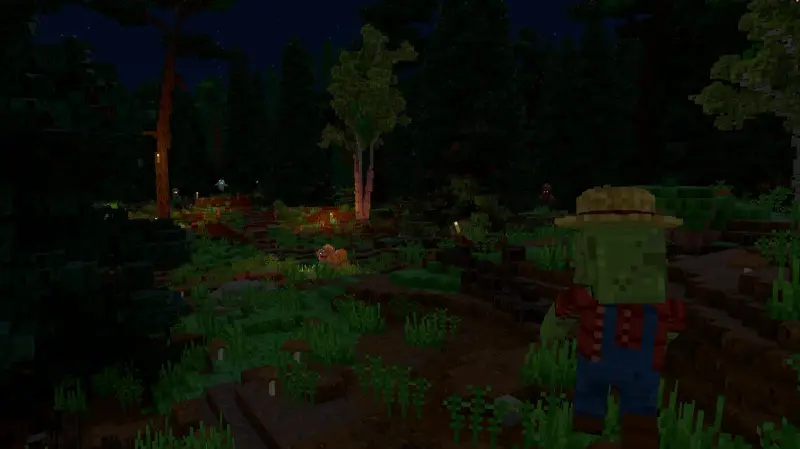
On the default difficulty, monsters hunt you at night and in caves. They don't pop up next to you: they appear in the dark between 24 and 64 m away, then come looking. Zombies roam every land, with slimes in swamps and forests, ghosts in the air, pumpkin fiends and scarecrows in the plains, golems in the mountains and deserts. The full bestiary is in our guide to night monsters.
Here is the whole first day, in one scroll. Keep scrolling: the sun moves with you.

Dawn
A new world starts in the early morning, on dry land.Spawn points are never in water nor on a tree.
Morning
Wood first.By hand you break one 25 cm voxel at a time. Planks, sticks, then a pickaxe.
Noon
Coal and iron show in the first rock walls.Every cave near the surface has some.
Afternoon
A shelter before sunset.Walls, a roof, a door. Nothing fancy: it only has to stand.
Dusk
A torch by the door.A voxel of coal on a stick makes four.
Night
Zombies come out of the dark……and find walls. Click on them if you like.
Dawn
You made it. Now the real game starts.
Your shelter, in four moves
- 1
Pick a spot before the sun goes down
Dusk comes faster than you think. Start building when the sun is still high: a hillside you can dig into is the quickest shelter of all.
- 2
Close yourself in
Four walls and a roof, two blocks high inside. Any rock or wood will do. Later, our guide to building a shelter that looks like a house shows you slabs, thin walls and stairs.
- 3
Add a door
Six cells of planks in the grid give three doors. Right-click to open and close. Later, an iron key in the middle of the recipe gives a door with a lock.
- 4
Light it up
A voxel of coal on a stick gives four torches (charcoal works too). Inside, they let you see — and no monster spawns within 14 m of a torch: light your shelter and its door.
Where are coal and iron?
Go underground. Every cave near the surface, from 2 to 48 m below the ground, shows little veins of coal and iron in its walls — about one every 25 m of gallery. Deeper, bigger veins run through the rock (coal down to 70 m, iron down to 140 m), and each world also hides giant lodes of coal and iron, the first between 250 and 700 m from where you started: look for boulders of ore standing on the ground. Our cave guide shows where to find coal and iron underground, and everything that lies deeper.
From ore to iron ingots
- Furnace: eight cells of rock around an empty middle. Iron ore in the input slot, coal in the reducer slot, fuel underneath: 16 voxels of ore and 4 of coal melt into one iron ingot in 12 seconds.
- Iron tools come next: faster than stone and three times its life.
- Steel: an iron ingot fired again with 2 coal gives a steel ingot in 15 seconds — better armour for the same weight.
- Iron: tools, an iron sword, buckets, keys… and armour. A full iron set takes 24 ingots — two or three cave veins of iron.
- 25minutes in a full day
- 24iron ingots for a full set of armour
- 12 sfor an iron ingot in the Furnace
- 3 ma fall above that hurts
Iron is a big step, not the last one: steel and titanium protect better still. Compare the six materials in our armour tier list.
Food, health and sleep
You have 100 health and 100 food, each shown as a gauge with its number. The food gauge drops when you sprint, swim and jump — and slowly by itself, even standing still. Well fed, you heal; when the gauge runs low, you can no longer sprint.
- Quick snacks: berries from bushes (they grow back), apples now and then from oak and birch leaves.
- Real meals: cows, sheep, chickens, rabbits, fish give raw meat. Cook it on a campfire (sticks over a row of logs). A cooked steak keeps the gauge from dropping by itself for 5 minutes; a raw one, 30 seconds.
- What hurts: falls of more than 3 m, lava, drowning (15 seconds of air), being stuck in a wall, monsters. Armour stops blows and lava, never a fall.
- Sleep: right-click a bed at night to lie down. It sets your respawn point beside it, and when every player on Earth is lying down, the clock jumps to sunrise. A bed needs wool and woven fabric: a goal for your second or third day.
Which difficulty should I pick?
Six levels, changeable at any time from the pause menu of a solo world. They change how many monsters come, how fast they run, how hard they hit, and how hungry you get. Every level, number by number, is in our guide to which difficulty to pick. The short version:
- Easy: no monsters at all, and hunger never kills. Perfect to learn the recipes.
- Moderate: a few slow, gentle monsters. Hunger still never kills.
- Normal (the default, and our advice for a first world): monsters hunt you at night and in caves, but you can always walk away from a zombie.
- Hard, Very hard, Terrible: more monsters, faster and meaner, and hunger that kills. Keep them for your second world.
What's the long-term goal?
There's no single ending: Openworld is a sandbox. But the planet pulls you forward. Iron leads to steel and machines, machines to factories — and up there, the Moon you saw rising on your first night is a place you can land on. Some next steps:
- Make your base a home with lights and furniture.
- Learn which monsters roam at night and how to deal with each.
- Walk far enough and you come back from the other side: the planet is truly round.
- Glide over it with a wingsuit or a paraglider.
- The long goal: a rocket (crafted from aerospace parts, with its own fuel chain), then a walk on the Moon.
- Or do it all together: play with friends.
Follow Openworld
@play_openworld is Openworld's official Instagram page: videos of the game and news of every update.
@play_openworldOpenworld is created by @tompascard
Three steps and you're in
- 1Install Openworld with the downloaded file: it sets up the launcher.
- 2Create your account in the launcher and confirm your email.
- 3Pick your username… and play.
Openworld is played on a computer: Mac, Windows or Linux. Send yourself the link, we'll be waiting on the other side.
Questions
How long is a day in Openworld?
A full day — day and night — lasts 25 minutes. The sky is real, though: the Earth is tilted, so nights are longer or shorter depending on where you are on the planet, and near the poles there are polar days and nights.
What happens when I die?
A death screen tells you what killed you. You respawn at your spawn point — or beside your bed, if you slept in one — with full health and a full stomach.
Can I play solo, then open my world to friends?
Yes. A solo world runs on your computer; from the pause menu, Host on local network lets friends on your network join it. You can also join online servers. See playing with friends.
What are the controls?
Move with WASD, jump with Space, sprint with Ctrl, crouch with Shift. Left click breaks and hits, right click places, uses and eats. E opens the inventory, I an item's card, V changes the view, M the map, T the chat. Every key can be changed in the options.
Is there a tutorial?
Yes, built into the game: your inventory shows the progress path and the advised next step, and every step has its tutorial (how to get it, what it is for, why). I on any item opens its wiki page. This guide tells the same story for your first nights.
Can I play in creative mode?
Yes: a world is created in survival or creative, and F5 switches between the two when you're allowed to (in your own solo world, you are).
How do I get in?
Openworld is out and playable now, in alpha, on Mac, Windows and Linux: download it from the site, create your account in the launcher and play.