On this page
Is there a voxel sandbox built for the Mac?
Search for a 3D open-world sandbox on a Mac and the results get thin fast: directory pages, mobile games, and things that only run through a compatibility layer. A voxel world, in 3D, and built for the chip in your Mac? The list gets short.
Openworld is a voxel sandbox on a whole, round planet — walk straight and you come back to where you started — under a real sky with Moon phases and eclipses, all the way to the Sun, by way of the Moon and the planets. It runs on Mac (natively on Apple Silicon), Windows and Linux. It's made by one indie developer, Tom Pascard, who builds and plays it on a Mac. So the Mac version isn't a port that comes later: it's the first one that runs every day.

Does it run natively on M1, M2, M3 and M4?
Yes. The Mac download is compiled for Apple Silicon (arm64): no Rosetta, no emulation, no Wine-style wrapper. Every chip since the M1 — M1, M2, M3, M4 and their Pro, Max and Ultra versions — runs the same native build. Intel Macs get their own build, compiled for x86_64.
Under the hood, Openworld draws with Vulkan. On a Mac, Vulkan is translated to Apple's Metal by MoltenVK, and that piece ships inside the app. There's nothing to install next to it: no Homebrew, no drivers, no runtime.
- 11the macOS version you need, or newer
- 2Mac builds: Apple Silicon and Intel
- 60+creature species on the planet
- 25minutes for a full day and night
Will it run on a MacBook Air?
A MacBook Air has no fan: it slows its chip down when it gets warm. Openworld lets you choose how much it asks of it. In Options → Display, one setting does almost everything: Graphics quality, from Low to Extreme (Low, Medium, High, Ultra, Extreme, plus Custom as soon as you touch a slider yourself). It sets the render distance, how far the distant terrain goes, the weather (rain, snow, puddles, clouds), moving lights, particles and the wind in the leaves.
- On a MacBook Air, start at Medium and lower Render distance first (2 to 24 chunks) if the frame rate drops. It's the slider that weighs the most.
- On a MacBook Pro, iMac or Mac Studio, try High or Ultra, and push Far distance: the terrain far away can go up to 10 km.
- Press F3 to see the frame rate and what the game is loading.
- Play in full screen with F11 (on most Mac keyboards, fn + F11), or with Full screen in Options → Display.
- If Low Power Mode is on, macOS holds the chip back: turn it off while you play.
- On a Retina screen the game draws at full density. If the interface looks small or big, Interface size goes from 0.6× to 2.5×.
How to install Openworld on macOS
The download is one small file, the updater. It installs the launcher, the launcher installs the game, and from then on everything updates itself. Here are the four steps, with the exact words macOS shows you.
- 1
Open Openworld.dmg
Download it, open it, and drag Openworld into the Applications folder. Then launch it from Applications, not from the disk image.
- 2
macOS refuses: click “Done”
You'll see ““Openworld” Not Opened — Apple could not verify…”. Click Done, definitely not Move to Trash.
- 3
Open Anyway
Open System Settings → Privacy & Security, scroll down to “Openworld was blocked to protect your Mac” and click Open Anyway. Confirm with your password or Touch ID, then click Open one last time. macOS won't ask again.
- 4
The launcher takes over
It installs the game, then asks you to create your account, confirm your email and pick your username. Press PLAY.
xattr -dr com.apple.quarantine /Applications/Openworld.appWhere Openworld lives on your Mac
Nothing is scattered across your system. Here's the full list, handy if you ever want to clean up:
/Applications/Openworld.app— the small updater you dragged in.~/Library/Application Support/openworld— the launcher, the installed game versions, your settings, your worlds and your screenshots. A spare copy of the updater sits there too, so deleting the .dmg from Downloads never breaks anything.~/Library/LaunchAgents/com.pascard.openworld.updater.plist— a login item that quietly updates the launcher. Don't want it? Untick Start Openworld with my computer in the launcher's Settings.
To uninstall, delete those three things. That's all.
Keyboard, mouse and trackpad
Openworld is played with a keyboard and a mouse. The keys are placed by their position on the keyboard, not by their letter: the default W A S D becomes Z Q S D on a French AZERTY Mac keyboard, without you doing anything, and the menus print the letter your keyboard really shows.
Everything can be changed in Options → Controls: two bindings per action, keys held together or pressed one after the other, mouse sensitivity, inverted axes, and several profiles you can switch between. A trackpad works — macOS turns a two-finger click into a right click — but for building, a mouse with a wheel is far more comfortable: the left button breaks, the right one places, the wheel scrolls through your hotbar.
Can Mac players join friends on PC?
Yes. There's one game and one network: a Mac, a Windows PC and a Linux box join the same servers and see each other's skins. To set it up, read how to play with friends on other platforms. Your solo worlds, on the other hand, run on your own Mac: the game starts its own little server in the background, and once a version is installed, the launcher can even start it without Internet.
What you'll find once it's running
A Mac-friendly install is nice, but it's the game that should make you stay. In a few words:
- A whole round planet: forests, deserts, ice and seas, all on a round planet you can walk all the way around.
- A real sky: the Moon goes through its phases, and eclipses happen when the Sun, the Earth and the Moon line up.
- The Moon itself: build a rocket and go stand on it, in low gravity.
- Caves full of ores, and creatures — some friendly, some not at night.
- Building voxel by voxel, 25 cm at a time: the building guide shows what that changes.
- Machines that keep running: conveyors, pumps and engines turn the sandbox into a factory game on Mac.
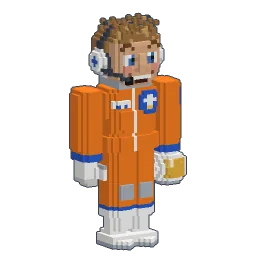
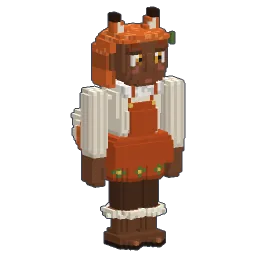
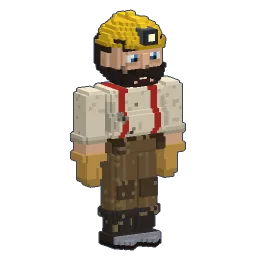
- 202 skins and an editor to sculpt your own: see Openworld skins.
New to all this? The beginner guide walks you through your first nights.
Follow Openworld
@play_openworld is Openworld's official Instagram page: videos of the game and news of every update.
@play_openworldOpenworld is created by @tompascard
Three steps from your Mac to the planet
- 1Install Openworld with the downloaded file: it sets up the launcher.
- 2Create your account in the launcher and confirm your email.
- 3Pick your username… and play.
Openworld is played on a computer: Mac, Windows or Linux. Send yourself the link, we'll be waiting on the other side.
Questions
How do I get in during the alpha?
Download Openworld.dmg from the site, drag it to Applications, then create your account in the launcher and play.
Can a MacBook Air M1 run a 3D sandbox game?
Openworld's Mac build is native on Apple Silicon, M1 included, and its Graphics quality setting goes from Low to Extreme. On a fanless MacBook Air, start at Medium and lower the render distance first if needed.
Is Openworld native on Apple Silicon or does it use Rosetta?
Native. The Mac download is compiled for Apple Silicon (arm64); Intel Macs get a separate x86_64 build. Vulkan is translated to Metal by MoltenVK, which ships inside the app.
Does Openworld work on Intel Macs?
There's an Intel build, Openworld-macos-x64.dmg, offered on the download page. It needs macOS 11 or newer. It has been played much less than the Apple Silicon one: report anything odd.
Why does macOS say “Openworld” can't be opened?
The app isn't notarized by Apple yet. Click Done, then System Settings → Privacy & Security → Open Anyway. It's only needed once.
Can Mac players play with Windows and Linux players?
Yes: every platform joins the same servers. See playing with friends.
Which macOS version do I need?
macOS 11 or newer, on an Apple Silicon or Intel Mac. Download the game.