On this page
- What are the 6 armor materials?
- Which armor is the best?
- How protection really works
- Weight: the hidden cost
- Does armor break?
- Steel vs iron: is it worth it?
- Is gold armor any good?
- Where do you find titanium and the other metals?
- Armor recipes: 24 per set
- Does armor change your skin's look?
- Which armor to choose, and when
- Questions
What are the 6 armor materials?
Openworld is a voxel sandbox on a whole, round planet, under a real sky, all the way to the Sun — on Mac (native Apple Silicon), Windows and Linux. Down in its rock lie the metals of six armors. Each set has four pieces — a helmet, a chestplate, leggings and boots — worn in four slots of your inventory, and each material has its own character: protection, weight, durability.
Here they are on one character, the game's own models: flip through the materials, turn him around, take the armor off to compare.

drag to turn · pick a material
Which armor is the best?
Short answer: titanium, for protection and for weight alike. The full tier list, best to worst for a fighter:
- Titanium — the best protection and the longest life, and only 11.2 kg. Light and hard, its edges tinted straw, copper, violet and blue like heated metal.
- Steel — blued and fluted. 19.6 kg, and clearly tougher than iron.
- Iron — 19.6 kg. Riveted plate over red padding: the first real armor.
- Gold — 25.4 kg (the heaviest), and it wears out fast. Engraved, with a ruby.
- Copper — 15.5 kg. Soft; it turns green in the creases.
- Leather — 6 kg, the lightest and the quickest to wear out. Tanned hide, stitched and studded.
Now compare them yourself — and dial a hit to see what each set lets through.
How protection really works
Every piece of armor removes a percentage of the damage it stops, and the four pieces add up. The returns diminish: the more protection you stack, the less each extra piece gives, so a full set never makes you untouchable. A heavy blow also bites into thin armor, which is where toughness comes in: steel and titanium hold up much better against big hits.
A zombie takes a big bite out of your 100 health. Through iron armor you lose a good deal less, through titanium less again. Against a really heavy blow the gap widens: iron lets most of it through, while steel and titanium keep much more of it out. That's toughness at work.
Weight: the hidden cost
Each piece weighs what its metal weighs, and in survival you feel every kilogram. The inventory's armor column shows it: protection, weight and speed.
- Walking and sprinting: −0.25 % per kg. Iron: −5 %. Titanium: −3 %. Gold: −6 %.
- Swimming: −1.2 % per kg. Iron: −23 %. Titanium: −13 %. Gold: −30 %. Think twice before diving in gold.
- Hunger: sprinting, jumping and swimming tire you more the heavier you are — half again as much in iron. Even walking costs: iron eats noticeably more of your food gauge per kilometre.
- The upside: weight cuts the knock-back you take, −1.5 % per kg (−29 % in iron, 60 % at most).
- What never changes: the jump. A 1 m ledge stays within reach in any armor.
Does armor break?
Yes. Every hit your armor stops wears each piece you wear, and the harder the hit, the more wear. Each material has its own life: leather goes first, titanium lasts longest. Worn out, a piece breaks and leaves its slot — the game tells you which piece went.
Steel vs iron: is it worth it?
Always. Steel weighs exactly what iron weighs (19.6 kg) but protects better, resists big hits and lasts much longer. The cost is small: in the Furnace, an iron ingot with 2 coal in the reducer slot comes out as a steel ingot in 15 seconds. If you have iron, you're one furnace run away from steel.
Is gold armor any good?
Not for fighting. Gold is the heaviest set (25.4 kg), protects less than iron and wears out fast. Wear it because it shines.
Where do you find titanium and the other metals?
Deep. Every ore lies in its own band of depth, and the giant lodes — tens of metres wide, with boulders of ore on the ground above their core — sit in places that match their metal. Our guide to where to find ores goes down there with you.
- Titanium: veins from 90 to 200 m, three times more under volcanic lands; giant lodes along the coasts. It holds on to its oxygen: the Furnace needs twice the coal and 20 seconds per ingot. And on the Moon, titanium lies only 2 to 60 m down, and its ilmenite gives two ingots for half the coal.
- Gold: veins from 70 to 200 m; a giant lode at the foot of the ranges.
- Copper: veins from 8 to 90 m, twice as many under highlands. 16 voxels of ore and 4 of coal give an ingot in 10 seconds.
- Leather: cows drop 0 to 2, goats and kangaroos 0 or 1, horses 1 or 2. Any hide works, leather or fur.
Armor recipes: 24 per set
The patterns are the classic ones, in the 3 × 3 grid of your inventory, the same for every material: helmet 5, chestplate 8, leggings 7, boots 4 — 24 ingots or hides for a full set. You can mix pieces: each slot counts on its own, so a titanium chestplate over iron boots is perfectly fine.
Does armor change your skin's look?
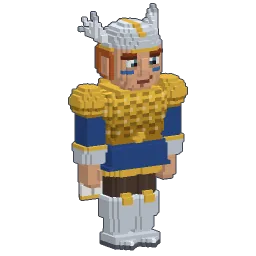
It fits it. Openworld doesn't drop a ready-made model over you: every piece is forged onto your own skin, a shell one voxel thick that follows your shape, with its pauldrons, knee guards and crest. A unicorn costume or a valkyrie keeps its silhouette in full plate. The helmet hides your hat; a wingsuit is painted over everything. More in our guide to 3D voxel skins.
Which armor to choose, and when
- Early on: leather if cows are close, then iron — coal and iron show in every cave near the surface. Our beginner guide walks you there.
- As soon as you have iron: turn it into steel. Same weight, better everywhere.
- Explorers and swimmers: titanium. The best protection for a little over half of iron's weight.
- Fights and deep caves: titanium too, and an alloy forged onto it: Egidite protects 1.3 times more. See forging alloys.
- On harder difficulties, monsters hit much harder: toughness matters more than ever. See the monsters of the night and difficulty levels.
Follow Openworld
@play_openworld is Openworld's official Instagram page: videos of the game and news of every update.
@play_openworldOpenworld is created by @tompascard
Three steps and you're in
- 1Install Openworld with the downloaded file: it sets up the launcher.
- 2Create your account in the launcher and confirm your email.
- 3Pick your username… and play.
Openworld is played on a computer: Mac, Windows or Linux. Send yourself the link, we'll be waiting on the other side.
Questions
What's the strongest armor in Openworld?
Titanium: the best protection, the strongest resistance to big hits and the longest life, for about half of iron's weight. Since the October update, the diamond is an ore and a gem, not an armor.
Can you mix armor pieces?
Yes. Each of the four slots counts on its own: protection and weight simply add up, with diminishing returns on protection.
Does armor break?
Yes. Every hit it stops wears each piece you wear; when a piece is worn out, it breaks and leaves its slot. Titanium lasts longest, leather least.
Where did electrum and diamond armor go?
They left the game in October: electrum (with silver) was retired, and the diamond became an ore and a gem only. Pieces in old saves turned into gold and titanium armor, wear and alloys kept.
Is there armor for the Moon?
Your armor goes wherever you go, the Moon included. And the Moon is where titanium is easiest to reach: it lies only 2 to 60 m down there. See going to the Moon.
Does armor slow you down?
A little on foot (−5 % in iron, −3 % in titanium), a lot in water (−23 % in iron), and it makes you hungrier. The jump never changes.
Does armor protect from falls?
No. Armor stops blows, projectiles, lava and fire, never a fall, drowning or hunger.