On this page
What makes a good sandbox game on PC?
Search for “sandbox games PC” and you mostly get two kinds of answers: big lists of games you'll never finish, and games built around a shop. A good sandbox is simpler than that: a world you can change, nothing standing between you and the game, and a reason to keep exploring.
Openworld is a voxel sandbox on a whole, round planet — walk straight and you come back to where you started — under a real sky with Moon phases and eclipses, all the way to the Sun, by way of the Moon and the planets. It runs on Windows, Mac (native Apple Silicon) and Linux. You build voxel by voxel, 25 cm at a time; you dig into caves, meet creatures that wake up at night, and when you're ready, you build a rocket. There's no shop in the game: a skin changes how you look, never what you can do.

An open world for a modest PC: what you need
Openworld draws with Vulkan 1.3. That's the one real requirement: a graphics chip whose driver supports it. Most NVIDIA, AMD and Intel graphics of recent years do, as long as the driver is up to date — and that's the first thing to check if the game won't start.
- 10/11Windows, 64-bit
- 1.3the Vulkan version your driver must support
- 6graphics presets, Low to Extreme (+ Custom)
- 0DLLs to install: the game ships complete
Then it's a question of settings. In Options → Display, Graphics quality goes from Low to Extreme: one choice that sets the render distance, how far the distant terrain goes, the weather (rain, snow, puddles, clouds), moving lights, particles and the wind in the leaves. Touch any of those sliders by hand and it becomes Custom.
On a laptop without a gaming GPU
- Start at Low or Medium, then raise Render distance (2 to 24 chunks) as long as it stays smooth. Press F3 to see the frame rate.
- Weather quality and Dynamic lights are the next sliders to lower if rain or torches slow you down.
- Plug in the charger: on battery, Windows and the graphics chip save power first.
- Update the graphics driver from your chip maker (NVIDIA, AMD or Intel). An old driver is the most common reason Vulkan refuses to start.
Do I need Steam?
No. Openworld isn't on any store: you download it from the official site, and that's it. No Steam account, no Epic, no Microsoft Store. The launcher keeps the game up to date by itself, tells you what's new, and lets you pick a version if you want to stay on one.
Once a version is installed, the launcher can start it without Internet, and your solo worlds run on your own PC: the game starts its own little server in the background. To create your account and download the game the first time, you'll need a connection.
How to install Openworld on Windows
The game doesn't have its Microsoft certificate yet, so Windows is suspicious the first time. It's normal, it's once, and here's exactly what you'll see.
- 1
Keep the file
Download Openworld.exe. If your browser says “Openworld.exe isn't commonly downloaded”, open the download's … menu → Keep → Keep anyway.
- 2
Run it: “Windows protected your PC”
Microsoft Defender SmartScreen shows a blue panel. Click More info: a Run anyway button appears. Click it.
- 3
The launcher installs itself
No administrator prompt: everything goes in your user folder. A Start menu shortcut and a Desktop shortcut appear, both with the Openworld island.
- 4
Account, code, PLAY
In the launcher, create your account, confirm your email and pick your username. Then PLAY.
Where Openworld goes on your PC
%APPDATA%\.openworld— everything: the updater (Openworld.exe), the launcher, the installed game versions, your settings, worlds and screenshots. Downloading again or deleting the file from your Downloads folder changes nothing.- A Start menu shortcut, and a Desktop shortcut the first time.
- An entry in Startup apps (
Openworld) that quietly updates the launcher when you log in. Don't want it? Untick Start Openworld with my computer in the launcher's Settings, or switch it off in Windows' Startup apps.
To uninstall: remove the startup entry, delete the shortcuts and the %APPDATA%\.openworld folder.
Controls: keyboard and mouse, your way
Openworld is played with keyboard and mouse: left click breaks, right click places or uses, the wheel scrolls through your hotbar. Keys are placed by their position on the keyboard, so W A S D on a QWERTY keyboard is Z Q S D on an AZERTY one, automatically. In Options → Controls you can rebind every action, combine keys, set the mouse sensitivity and keep several profiles. F11 switches to full screen.
Play with friends on Mac and Linux
Your friend has a MacBook? Another one is on Linux? Doesn't matter: every platform joins the same servers, and everyone sees everyone's skin. The details are in playing with friends on other platforms, and if you'd rather run the world yourself, see how to host your own server.
What you'll do on the planet
- Walk around a whole round planet: the world is actually round, with forests, deserts, ice and oceans.
- Dig: caves hide coal, iron and rarer ores.
- Survive the night: monsters come out after dark; pick your difficulty.
- Build voxel by voxel: the building guide.
- Look up: Moon phases and eclipses, then the Moon itself.
First time? Start with the beginner guide. Still looking around? Here are other sandbox games.
Follow Openworld
@play_openworld is Openworld's official Instagram page: videos of the game and news of every update.
@play_openworldOpenworld is created by @tompascard
Three steps from your PC to the planet
- 1Install Openworld with the downloaded file: it sets up the launcher.
- 2Create your account in the launcher and confirm your email.
- 3Pick your username… and play.
Openworld is played on a computer: Mac, Windows or Linux. Send yourself the link, we'll be waiting on the other side.
Questions
Is there an open world game without microtransactions?
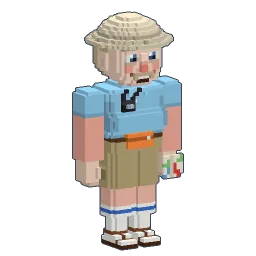
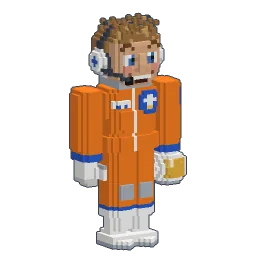
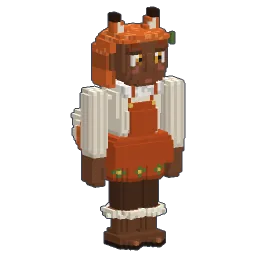
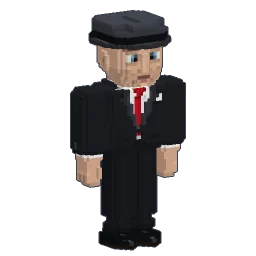
Openworld has no shop inside the game: the 202 skins and the skin editor are included, and armour and tools are crafted in the game, never bought.
Will it run on a laptop without a gaming GPU?
It needs graphics with an up-to-date Vulkan 1.3 driver, which most recent integrated chips have. Choose Low or Medium in Options → Display → Graphics quality, then adjust the render distance.
Can I play offline?
You need Internet to create your account and install the game. After that, the launcher can start an installed version without a connection, and solo worlds run on your PC.
Does Openworld need Steam?
No. It's downloaded from the official site, without any store, and the launcher updates it by itself.
Is the download safe?
SmartScreen warns because the program isn't signed with a Microsoft certificate yet. The launcher only installs game files that carry the project's Ed25519 signature.
Does it work on Windows 7 or 8?
The supported versions are Windows 10 and 11, 64-bit. Download the game.